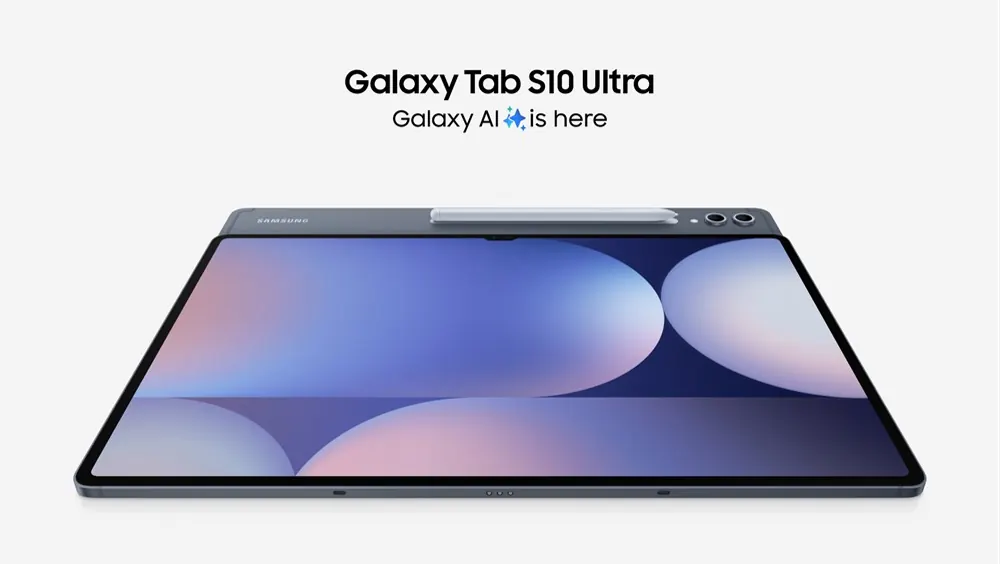
Galaxy Tab S10 Ultra review: huge screen, strong stylus and the eternal question about Android on a tablet
Few products seem as over-the-top at first glance as a gigantic tablet with serious productivity claims. And yet the Galaxy Tab Ultra line continues to exist because there is a real audience for it: people who want a huge screen, a competent stylus, top-notch media consumption and the hope that Android with DeX and accessories will finally replace part of the notebook. The Galaxy Tab S10 Ultra reinforces this commitment with an explicit focus on Galaxy AI, creativity and productivity. The problem is that, on Android tablets, the evaluation never depends solely on the hardware. She always comes up against the same question: how well do the system and apps keep up with the ambition of the screen? This is the question that defines the value of the product much more than any isolated technical sheet.
What he delivers today
In the official announcement, Samsung positions the Galaxy Tab S10 series as the gateway to Galaxy AI in the tablet segment, with new creativity and productivity functions associated with the S Pen. Ultra is the ultimate expression of this idea. It delivers a large, premium panel, refined build, ecosystem pen, and software features aimed at multitasking, note-taking, and creative use. For those who consume a lot of PDFs, constantly mark up, split the screen between meetings, documents and browser or want a large device for drawing and annotating, the appeal is immediate.
The technique behind
The technical strength of this tablet lies in the combination of display, pen latency, processing power and windowing software. On tablets of this size, the screen is not a mere luxury: it changes the type of task that fits comfortably. Annotating in an open document, comparing two pages, drawing with visible sidebars or letting video, browser and notepad coexist is actually more viable. The S Pen also matters because it reduces the distance between reading and action. You don't just consume the file; you circulate, comment, cut and rearrange. The bottleneck comes back to software because Android, even though it is improving, still depends on the quality of applications to transform screen space into real productivity.
Where it gets it right in real use
In practical use, the Tab S10 Ultra gets everything involving wide viewing and pen input right. Reading, drawing, reviewing, studying, organizing visual projects and working with multiple areas of the screen is very enjoyable. DeX mode also remains a real advantage for those who like a closer desktop experience for specific tasks. Recent reviews reinforce that the screen is one of the biggest reasons to buy and that the tablet works very well for media, creative productivity and communication. For those who already live in the Samsung ecosystem, the gains with synchronization, keyboard and flow between devices also weigh in favor.
Where does it limit
The limitations are clear. The size takes its toll in portability. The keyboard greatly increases the final cost. And Android on a tablet still alternates between brilliant moments and stretches where the user feels like they're forcing a mobile system into a more ambitious space. Some apps remain poorly adapted, and denser professional workflows still look more natural on a notebook. There is also a common risk in products of this type: buying the screen as a promise of transformation and then using the device mainly for video, reading and light tasks. In this case, the investment may be greater than the real benefit.
The future it anticipates
What the Tab S10 Ultra anticipates is a future where large tablets compete not just as premium consumer devices, but as direct-display, contextual computers, especially for note-taking, creativity, and collaboration. Samsung is clearly pushing Android in this direction. What remains open is whether the application ecosystem will mature quickly enough to justify the hardware ambitions across all profiles. While this isn't completely resolved, the Tab Ultra remains an excellent product for broad niches, but still not a universal notebook replacement.
Verdict
The Galaxy Tab S10 Ultra is an impressive premium tablet and, for some specific routines, really powerful. Its screen and S Pen make a lot of sense for advanced studying, drawing, reviewing, and visual multitasking. The caution here is not to buy into the fantasy of a total laptop replacement without looking at the workflow itself. As a specialized and versatile device, it shines. As a universal answer, it still depends on the software evolving together.
Sources
- https://news.samsung.com/es/samsung-anuncia-la-serie-galaxy-tab-s10-la-tablet-disenada-para-galaxy-ai
- https://www.tomsguide.com/tablets/android-tablets/samsung-galaxy-tab-s10-ultra-review
- https://www.phonearena.com/reviews/samsung-galaxy-tab-s10-ultra-review_id6649