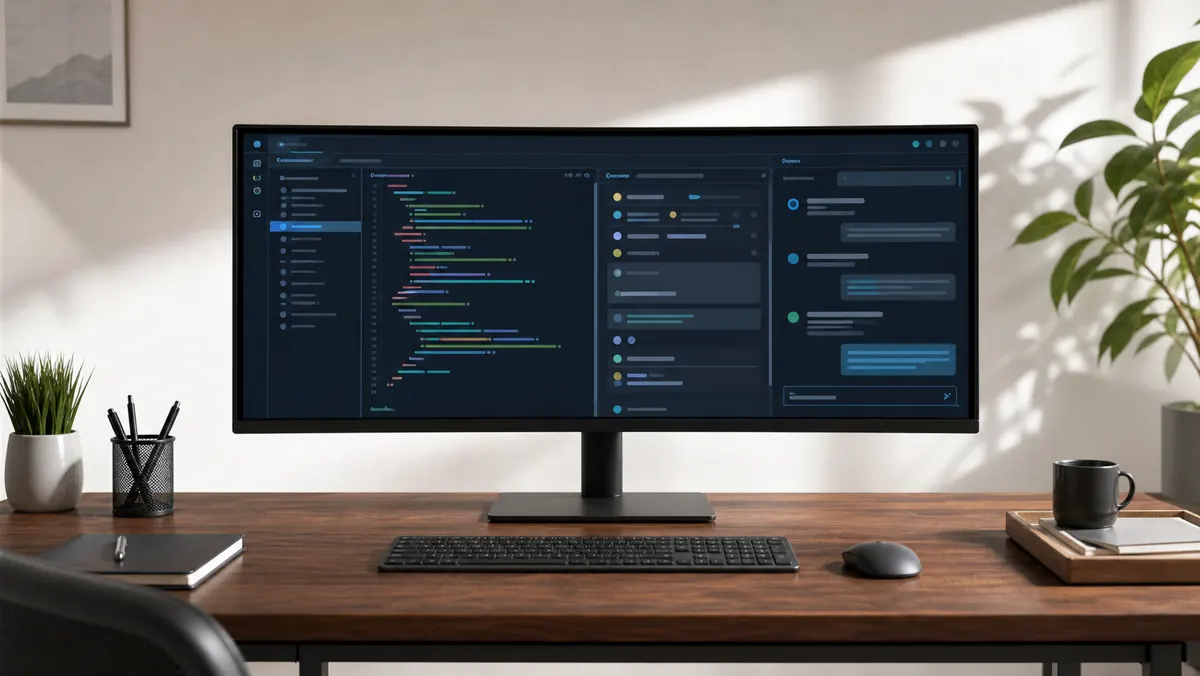
Review LG 34WP65G: ultrawide 21:9 for those who work with many windows
An ultrawide monitor doesn't increase your intelligence, but it changes the way you distribute attention. LG 34WP65G is interesting because it offers the 21:9 format in a practical proposal: more horizontal space for code, documentation, browser, AI chat, terminal and meetings without being tied to Alt+Tab.
For those who work with a small screen or two old monitors that are misaligned, the difference is immediate. Instead of splitting focus between overlapping windows, you create a seamless workstation. The editor is in the center, the documentation to the side, the terminal in one column and the AI chat visible enough to consult.
What the 21:9 format changes
The 34WP65G's main advantage isn't speed, it's context. Modern programming rarely happens in one window. You read documentation, review pull requests, consult logs, test APIs, talk to assistants and monitor dashboards. Ultrawide reduces the feeling of putting together a puzzle of windows.
For long writing, it also helps. You can leave drafts, sources and notes side by side. For spreadsheets, the additional width reduces horizontal scrolling. For light video or audio editing, the timeline will thank you.
Image and daily use
The 34WP65G line offers an IPS panel, 21:9 aspect ratio, HDR10 support and high sRGB coverage, according to LG. This is enough for productivity, studying, programming, and light visual creation. It is not a reference monitor for professional colorists, but it delivers a good experience for general work.
The point that requires attention is the resolution. In many markets, this model appears as UltraWide Full HD, with 2560 x 1080. At 34 inches, this resolution offers plenty of space, but lower pixel density than QHD or 4K monitors. For very small text, demanding users may notice less sharpness.
If you want maximum definition for code reading, perhaps an ultrawide QHD would be better. If you want ample space, a more affordable price and layout comfort, the 34WP65G still makes sense.
Games and fluidity as a bonus
Although this review focuses on productivity, features like AMD FreeSync, response time with MBR and higher refresh rate in some versions make the monitor versatile. This helps those who work during the day and play at night, without buying a screen just for each purpose.
For professional use, the fluidity is also pleasant. Scrolling, window dragging, and navigation feel smoother when the refresh rate is higher than the traditional default. It's not mandatory, but it improves the feeling of quality.
Ergonomics matters
An ultrawide needs to be well positioned. The screen should be centered, with the top close to eye height. If you keep the monitor too close, the width becomes fatigue. If you leave it too far away, you will lose reading. An articulated arm or support with a good height can transform the experience.
It's also worth using window organization tools. On Windows, FancyZones helps a lot. On macOS, tiling apps fulfill a similar role. Ultrawide looks really good when each area of the screen has a function.
Limitations
The LG 34WP65G is not the ideal choice for those who require very high pixel density, full USB-C, or professional calibration. It also takes up a lot of table space. Before purchasing, check the physical width, type of support, available inputs and version sold in your country.
Recommended configuration
To take advantage of the format, use the monitor as an organized work desk. An efficient division is to leave the main editor taking up half the screen, documentation or browser in one room and terminal, AI chat or preview in the rest. This arrangement reduces context switches and makes errors more visible.
It's also worth adjusting scale, font size and distance. A poorly configured ultrawide can be as tiring as it can help. The goal is not to fill every pixel, but to keep the right information visible at the right time.
Verdict
The LG 34WP65G is a monitor for those who want to breathe into their own workflow. It doesn't solve clutter, but it does provide space to think. In 2026, when productivity involves humans, AIs and many windows at the same time, this space is no longer a luxury.
For programmers, analysts, creators and advanced students, ultrawide can be one of the most visible improvements to the setup.
Sources
- https://www.lg.com/us/monitors/lg-34wp65g-b-ultrawide-monitor
- https://www.lg.com/br/monitores/ultrawide/