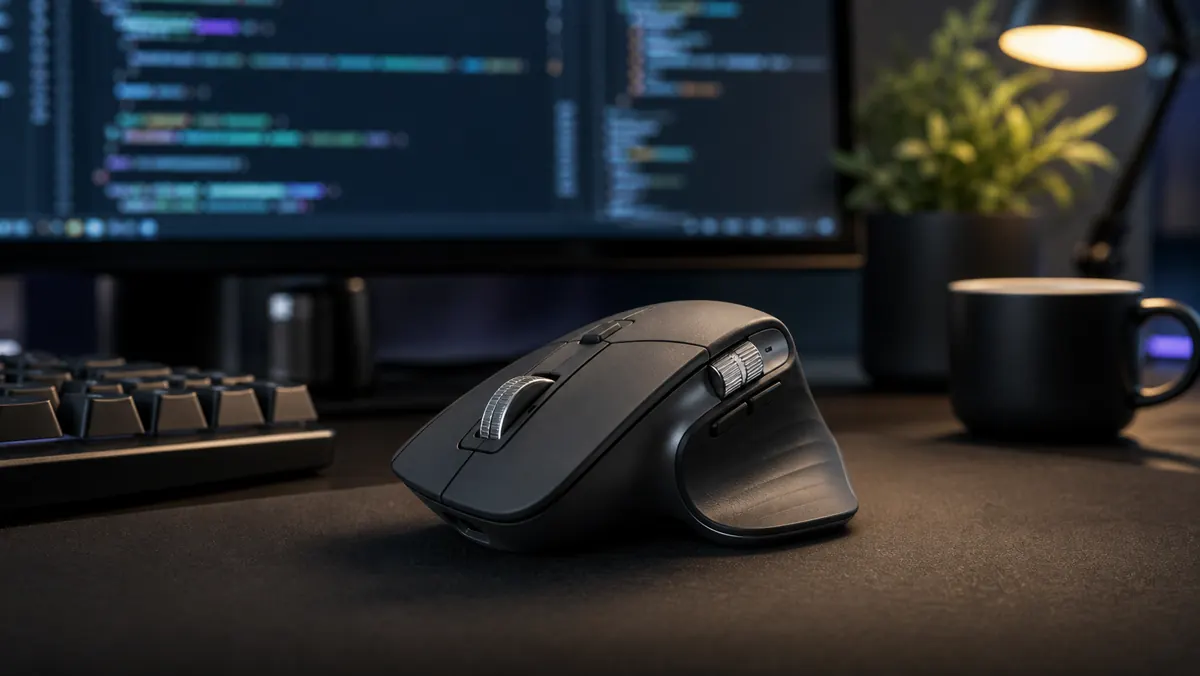
Review Logitech MX Master 3S: the mouse that disappears in the workflow
Logitech MX Master 3S doesn't try to be exciting. That is precisely the grace. It's a mouse created to disappear into your hand and let the work happen. In 2026, with professionals switching between IDE, browser, terminal, spreadsheets, AI chats and meetings, this type of peripheral is worth more for reducing friction than for any visual effect.
The central point of the MX Master 3S is functional ergonomics. The body is tall, inclined and designed for the right hand, with thumb rest and well-positioned side buttons. Those who use a palm or relaxed grip tend to adapt quickly. Those who prefer a small, light or ambidextrous mouse may be surprised.
Scrolling is productivity
The MagSpeed wheel is the biggest day-changing feature. It switches between precise scrolling and free scrolling, allowing you to move through long documents, logs, spreadsheets, and code files naturally. It seems like a detail until you go back to a regular mouse.
For developers, analysts, and writers, this reduces micro-disruptions. Instead of dragging a scroll bar or turning a wheel endlessly, the user navigates through large blocks of information in seconds. In AI flows, where the screen accumulates responses, diffs, documentation and history, this speed has a real impact.
Sensor and silent click
Logitech reports a sensor of up to 8,000 DPI and works on glass, as long as the surface has an adequate minimum thickness. In practice, the benefit is not to use extremely high DPI, but to have room for large monitors and multi-screen setups without losing precision.
The clicks are quieter than those of older models in the line. This makes a difference in shared office space, calls and night work. It's not absolute silence, but the sound is contained and less tiring.
Shortcuts that make sense
The MX Master 3S shines when configured with intention. The side wheel can scroll horizontally across spreadsheets and long lines of code. Thumb buttons can switch tabs, trigger Mission Control, switch desktops, open search or trigger editor shortcuts.
The common mistake is trying to map everything at once. The best way is to choose three repetitive actions and turn the mouse into an extension of them. After a week, the gain appears effortlessly.
Battery and connection
The battery is another strong point. Logitech advertises up to 70 days of use on a full charge and quick recharge via USB-C. It can also switch between up to three devices, a useful feature for those using a personal notebook, work machine and tablet or other computer.
This switching between devices suits professionals who live in hybrid environments. The mouse becomes a stable piece between different systems.
Limitations
The MX Master 3S isn't for competitive gaming, it's not lightweight, and it's not cheap. It's also clearly designed for right-handed people. People with small hands may find the body bulky. And, like any product full of software, some features depend on the Logi Options+ app.
Still, the balance is excellent. It doesn't promise to make you a better professional, but it removes small frictions repeated hundreds of times a day.
For those worth the purchase
The MX Master 3S is worth more for those who work long hours on the computer than for those who use the PC casually. Developers, editors, financial analysts, product designers, researchers, and people who review long documents tend to experience quick wins. The combination of scrolling, configurable buttons and comfort reduces repetitive movements.
If you only use a notebook for short periods, a simpler mouse may be enough. If you feel pain in your wrist, it's best to test the shape before buying, because ergonomics is personal. But if your routine involves multiple screens, tabs and AI tools, 3S remains one of the most complete choices.
Verdict
The MX Master 3S remains one of the best productivity mice because it understands a simple truth: a good tool doesn't demand attention. It follows the thought. For anyone who works with code, text, research, or AI on a daily basis, this is more valuable than flashy specs.
It's not an impulsive purchase; It's a routine purchase. And routine, in the end, is where productivity really lives.
Sources
- https://www.logitech.com/en-us/products/mice/mx-master-3s.910-006556.html
- https://www.logitech.com/en-us/software/logi-options-plus.html