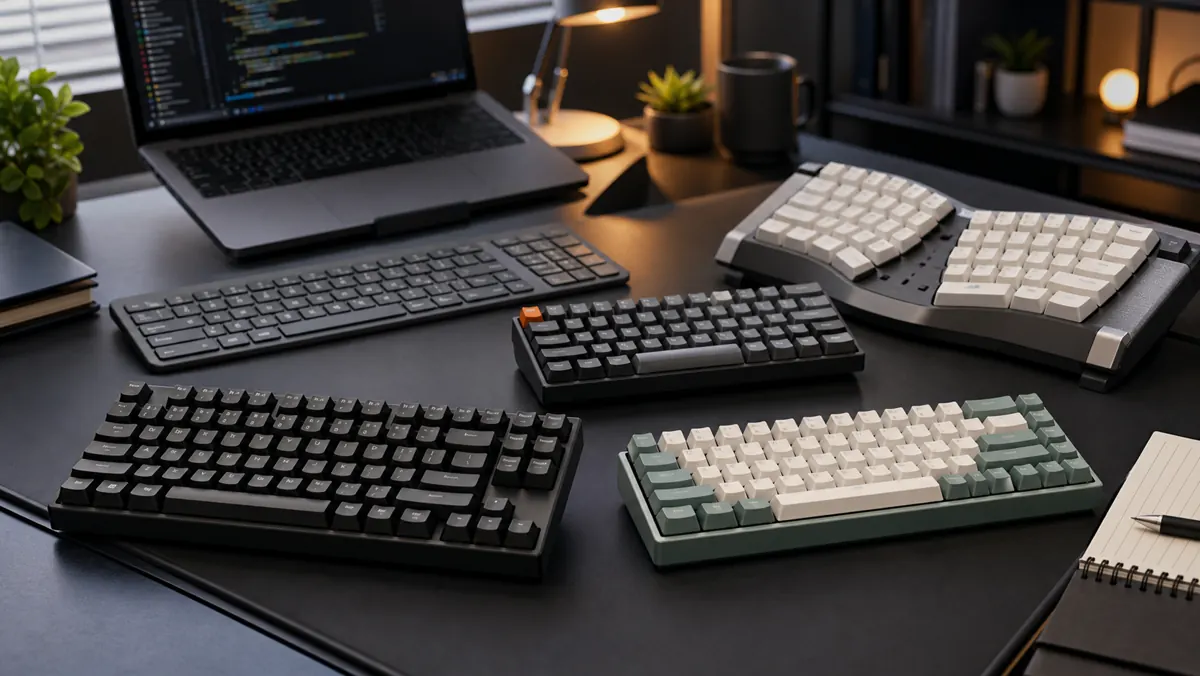
The 5 Best Keyboards for Productivity and Programming in 2026
The right keyboard doesn't write for you, but it changes the quality of your day. In 2026, when developers switch between code, AI chat, documentation, terminal and meetings, the keyboard is no longer a simple peripheral. It became a reasoning interface. If the tool hurts, delays or breaks the rhythm, productivity takes interest.
This guide does not attempt to choose "the absolute best". The best keyboard depends on hands, desk, allowed noise, operating system, budget and tolerance for customization. The selection below focuses on five useful profiles for those working with programming, technical writing and AI agents.
1. Logitech MX Keys S: silence and consistency
The MX Keys S remains one of the safest options for those who want productivity without entering the mechanical world. It is low, silent, stable and has intelligent lighting. For those who switch between notebooks, desktops and tablets, switching between devices is a big difference.
It's a good choice for shared offices, long meetings and people who type a lot without wanting to attract attention. It doesn't offer the tactile sensation of a premium mechanic, but it does deliver predictability. For many people, this is worth more than the beautiful switch sound.
2. Keychron Q1 Pro: serious customization
The Keychron Q1 Pro is for those who want a mechanical keyboard with a robust body, QMK/VIA support and a more customizable experience. The big advantage here is controlling layout, macros and key behavior. For developers, this could mean shortcuts for terminal, IDE, snippets, window control, and repetitive commands.
It is not the lightest nor the cheapest keyboard. It may also be overkill for those who just want to take it out of the box and use it. But for those who like to tweak the setup until it disappears from consciousness, the Q1 Pro is a strong candidate.
3. NuPhy Air75 V2: portability with real mechanics
The NuPhy Air75 V2 occupies an interesting space: a low-profile, portable mechanical keyboard with modern customization support. It works well for those who travel, work in cafes or alternate between a standing desk and a backpack.
The sensation is more tactile than that of notebook keyboards, but without the bulk of a traditional mechanical one. This helps those who want to write a lot without carrying a heavy notebook. For AI-powered flows, where you write prompts, review responses, and return to code all the time, this practical lightness is valuable.
4. Razer Huntsman V3 Pro TKL: Speed and Fine-Tuning
The Huntsman V3 Pro TKL was born with a gamer focus, but some features are of interest to demanding professionals: analog optical switches, actuation adjustment and tenkeyless format. For those who like fast response, low latency and a free mouse table, it makes sense.
Not every programmer needs this. It can be expensive and visually more aggressive than office options. Still, for those who want a fast, compact and technically advanced keyboard, it's a solid alternative.
5. Redragon Kumara: Honest entry into the mechanical world
The Redragon Kumara represents the path of entry. It's not the most refined, it doesn't have the finish of premium models and it can be noisy depending on the switches. But it plays an important role: delivering mechanical experience at a more affordable price.
For students, programming beginners or anyone who wants to test whether they like mechanics before investing heavily, it is a rational choice. The secret is not to expect luxury. Expect robustness, tactile feel and good value for money.
How to choose without making mistakes
Before purchasing, answer three questions. Do you need silence? Do you carry the keyboard? Do you want to customize deeply? If the answer is silence, look at MX Keys S or quieter mechanical switches. If it's portability, NuPhy Air75 V2 is strong. If it's customization, Keychron Q1 Pro wins points. If it's speed, Razer makes sense. If it's a budget, Redragon solves it.
It's also worth thinking about ergonomics. A pretty keyboard isn't worth the pain. Height, tilt, wrist rest, distance from the mouse, and posture matter more than RGB. The best tool is the one that allows you to work for hours without remembering that it exists.
In an age of AI, we type less raw code and more intent: prompts, reviews, decisions, and commands. Precisely for this reason, the keyboard remains essential. It is the point where thought becomes action.
Verdict
For most professionals, the Logitech MX Keys S is the safest choice: quiet, consistent, and easy to live with. Anyone who wants deep customization should look first at Keychron; anyone who needs portability with a mechanical feel will find the best balance in NuPhy. The core idea is simple: the best keyboard is not the flashiest one, but the one that reduces friction for hours without becoming a distraction.
Sources
- https://www.logitech.com/en-us/products/keyboards/mx-keys-s.920-011558.html
- https://www.keychron.com/products/keychron-q1-pro-qmk-via-wireless-custom-mechanical-keyboard
- https://nuphy.com/products/air75-v2
- https://www.razer.com/gaming-keyboards/razer-huntsman-v3-pro-tenkeyless